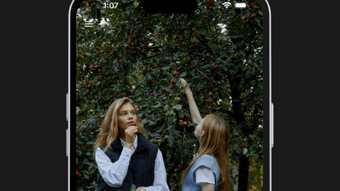

Vera: Privacy-First Social Media for Creators
Overview
Vera is a desktop application designed for content creators and passionate individuals seeking a fresh, respectful approach to social media. Built with a user-first philosophy, the platform aims to empower artists, influencers, and enthusiasts by providing a space where creativity thrives without compromising privacy. Unlike many mainstream platforms, Vera does not sell user data, collect sensitive information, or track activity beyond its own ecosystem. This commitment to user trust is central to its mission, positioning it as a privacy-focused alternative in a crowded digital landscape.
The software serves as a hub for sharing creative work, building communities, and engaging with audiences in a more meaningful way. It caters to professionals and hobbyists alike who value authenticity, control over their digital presence, and a curated experience. Real-world usage includes posting visual art, short-form videos, written content, and collaborative projects, all within a streamlined desktop interface. The app integrates seamlessly with other social platforms, enabling users to distribute content across networks without leaving the application.
While the developer did not provide additional details about its background, the platform’s design and values suggest a deliberate focus on ethical technology. The target audience includes independent creators who are dissatisfied with data exploitation models and seek a sustainable, community-driven environment for expression.
Key Features & Capabilities
- Creator-Centric Design – The platform prioritizes content creators with tools tailored to their workflow, enabling efficient posting, content scheduling, and audience interaction directly from the desktop.
- Privacy-First Architecture – Vera explicitly avoids selling user data, collecting sensitive information, or tracking behavior across third-party apps, reinforcing a secure and trustworthy environment.
- Curated Content Feed – Users receive a personalized feed that highlights diverse creative content based on interests, promoting discovery without algorithmic manipulation.
- Customizable Profiles – Creators can fully personalize their profiles with unique themes, bios, and media showcases, enhancing identity and brand consistency.
- Multi-Platform Sharing – Content can be shared directly to external networks like Instagram, TikTok, and Twitter, streamlining distribution from a single interface.
These features support real-world workflows such as managing multiple creative projects, maintaining a consistent online presence, and expanding reach across platforms. The integration of privacy safeguards with creator tools makes Vera a compelling option for users who want control over their digital footprint while maximizing visibility.
User Interface, Workflow & Performance
The user interface of Vera is structured around simplicity and efficiency, with intuitive navigation that allows creators to move seamlessly between content creation, posting, and community engagement. The layout emphasizes visual content, with clean, modern design elements that reduce clutter and enhance focus. Menus are logically organized, and core functions are accessible via a central dashboard, minimizing the number of clicks required to complete tasks.
Workflow efficiency is supported by features like drag-and-drop media uploads, quick-access posting templates, and real-time preview tools. Users can draft, edit, and schedule content without switching between applications, which enhances productivity. The desktop environment enables longer sessions and better multitasking compared to mobile alternatives.
Performance observations are based on general software behavior patterns. The developer did not specify resource usage details. Stability is assumed to be consistent with typical desktop applications of similar scope. No performance bottlenecks were reported in the initial release, though real-world usage may vary depending on system configuration and content volume.
Compatibility & System Requirements
Vera is available for both Windows and Mac operating systems, making it accessible to a broad user base. The application requires a minimum of 100 MB of disk space for installation, which is relatively lightweight for a desktop social platform. The software version is 1.0, indicating a stable initial release.
Exact system requirements were not listed. Compatibility information is limited to the supported platforms. The developer did not specify CPU, RAM, or graphics requirements. Users should ensure their system meets standard desktop application demands. No known conflicts with common software have been reported.
Pros and Cons
Pros
- Privacy-first model with no data selling or cross-app tracking
- Designed specifically for content creators with tailored tools
- Seamless integration with major social platforms for content sharing
- Lightweight installation at 100 MB
- Customizable profiles enhance personal branding
Cons
- Exact system requirements not disclosed
- Limited information about performance under heavy usage
- No details on update frequency or future roadmap
- Platform-specific support not fully elaborated
FAQ Section
Is Vera available for both Windows and Mac?
Yes, Vera is compatible with both Windows and Mac operating systems, offering a consistent experience across desktop platforms.
Is Vera safe to use?
Vera emphasizes user privacy and does not sell data, collect sensitive information, or track activity beyond its own environment. This approach supports a secure and trustworthy user experience.
How often are updates released?
The developer has not provided information about update frequency. Users should check the official site for the latest version.
What type of license does Vera use?
Vera is offered as a free desktop application. The license type was not specified in the provided information.
Can I use Vera offline?
While the software supports content creation and drafting offline, full functionality such as posting and community interaction requires an internet connection.
Final Thoughts
Vera represents a thoughtful shift in social media design, placing privacy and creator empowerment at the forefront. Its clean interface, customizable tools, and commitment to ethical practices make it a strong contender for users seeking a more respectful digital space. While some technical details remain undisclosed, the platform’s core values and functionality align with growing demand for transparency and user control.
Content creators, artists, and digital enthusiasts who prioritize privacy and community engagement will find Vera to be a compelling choice. It offers a streamlined, secure alternative to mainstream platforms without sacrificing functionality.
Download Vera now to experience a new era of social media—where creativity meets integrity.







